Android Studio Workaround: "Not Enough Memory to Run HAXM"
Being able to "just fork it" is nice, but a hex editor will do in a pinch
ai disclaimer: all prose here written solely by me
I. TL;DR
Android Studio has a bug in its AVD manager (Android Virtual Device - basically a virtual machine managed by Android Studio) that causes it to incorrectly report that it doesn't have enough memory to start an AVD. The error code returned has a misleading name, in the code it is called "AccelerationErrorCode.NOT_ENOUGH_MEMORY"*https://git.jetbrains.org/?p=idea/android.git;a=blob;f=android/src/com/android/tools/idea/avdmanager/AvdManagerConnection.java;h=8d0a1d15a52047136ef72f7143875b6d4ed6d575;hb=59f7cd324489bf935a448d07088dd03489dd4e2f#l868 but the error message produced by this references some Intel-only virtualization technology called "HAXM"†https://git.jetbrains.org/?p=idea/android.git;a=blob;f=android/src/com/android/tools/idea/avdmanager/AccelerationErrorCode.java;h=e3bf63c440841e56607911c5ab7d126bc5c303e8;hb=59f7cd324489bf935a448d07088dd03489dd4e2f#l74 which is not used by default on Linux and is not related to the source of the error.
A binary patch in bsdiff format that disables the faulty memory check is provided below for Android Studio Canary 2021.03, as well as a Nix overlay to apply the patch. I also filed an upstream bug report here.
II. The Story
I recently wanted to use Android Studio on NixOS to do some Android emulation. Unfortunately, when I tried to create an AVD, I got a weird error, and it wouldn't start:
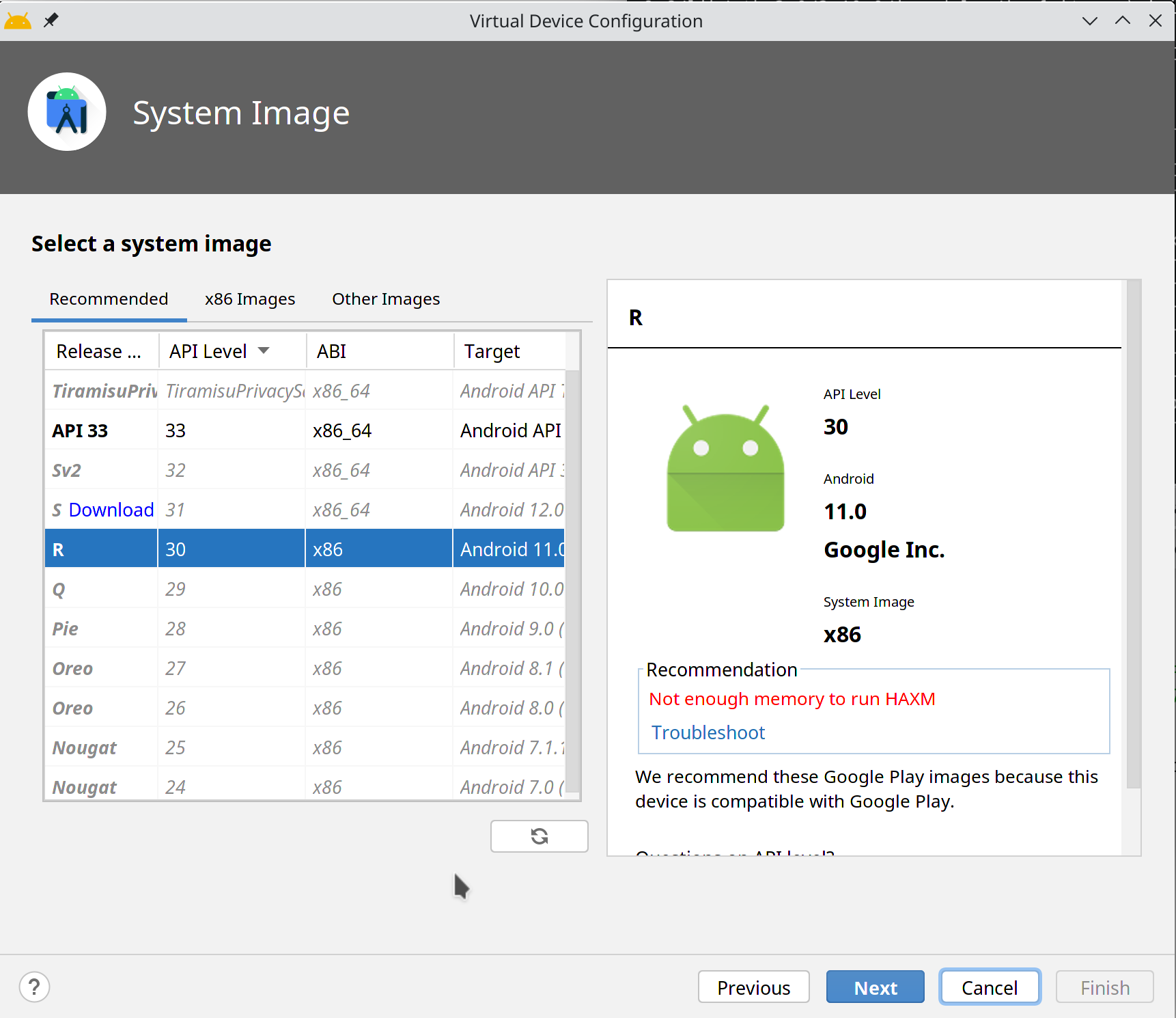
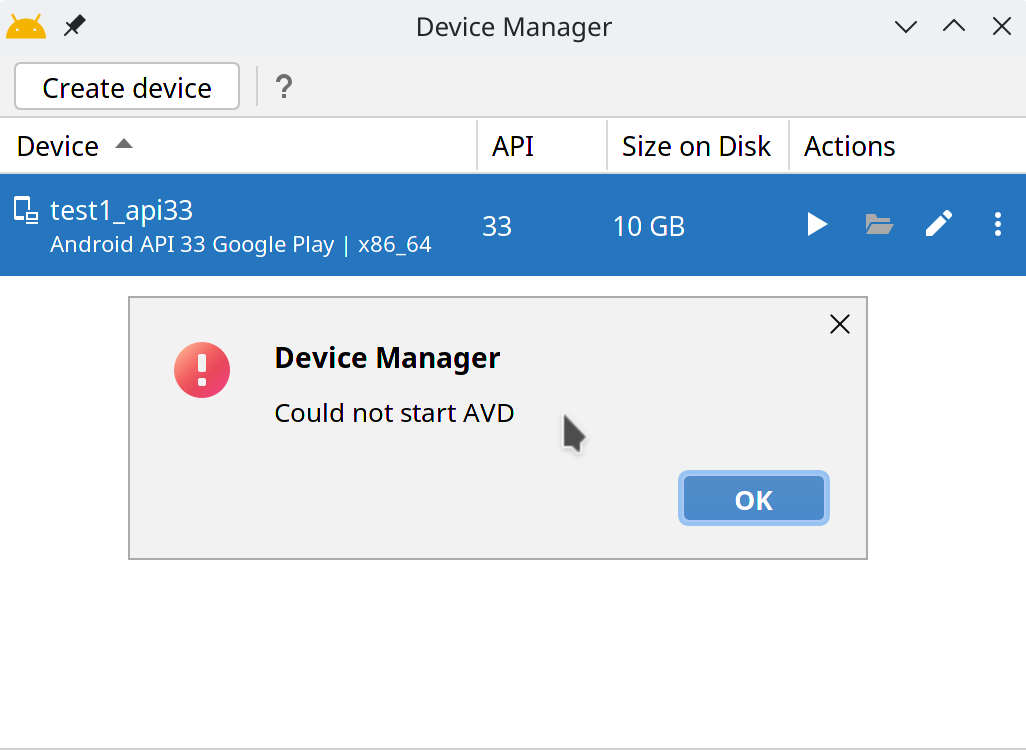
I did some googling and I found out that the error is only produced in one place, the AVDConnectionManager class, in the checkAcceleration() function‡https://git.jetbrains.org/?p=idea/android.git;a=blob;f=android/src/com/android/tools/idea/avdmanager/AvdManagerConnection.java;h=8d0a1d15a52047136ef72f7143875b6d4ed6d575;hb=59f7cd324489bf935a448d07088dd03489dd4e2f#l866:
854/**
855 * Run "emulator -accel-check" to check the status for emulator acceleration on this machine.
856 * Return a {@link AccelerationErrorCode}.
857 */
858public AccelerationErrorCode checkAcceleration() {
859  if (!initIfNecessary()) {
860    return AccelerationErrorCode.UNKNOWN_ERROR;
861  }
862  Path emulatorBinary = getEmulatorBinary();
863  if (emulatorBinary == null) {
864    return AccelerationErrorCode.NO_EMULATOR_INSTALLED;
865  }
866  if (getMemorySize() < Storage.Unit.GiB.getNumberOfBytes()) {
867    // TODO: The emulator -accel-check current does not check for the available memory, do it here instead:
868    return AccelerationErrorCode.NOT_ENOUGH_MEMORY;
869  }
870  if (!hasQEMU2Installed()) {
871    return AccelerationErrorCode.TOOLS_UPDATE_REQUIRED;
872  }
873  GeneralCommandLine commandLine = new GeneralCommandLine();
874  Path checkBinary = getEmulatorCheckBinary();
875  if (checkBinary != null) {
876    commandLine.setExePath(checkBinary.toString());
877    commandLine.addParameter("accel");
878  }
879  else {
880    commandLine.setExePath(emulatorBinary.toString());
881    commandLine.addParameter("-accel-check");
882  }
883  int exitValue;
884  try {
885    CapturingAnsiEscapesAwareProcessHandler process = new CapturingAnsiEscapesAwareProcessHandler(commandLine);
886    ProcessOutput output = process.runProcess();
887    exitValue = output.getExitCode();
888  }
889  catch (ExecutionException e) {
890    exitValue = AccelerationErrorCode.UNKNOWN_ERROR.getErrorCode();
891  }
892  if (exitValue != 0) {
893    return AccelerationErrorCode.fromExitCode(exitValue);
894  }
895  if (!hasPlatformToolsForQEMU2Installed()) {
896    return AccelerationErrorCode.PLATFORM_TOOLS_UPDATE_ADVISED;
897  }
898  if (!hasSystemImagesForQEMU2Installed()) {
899    return AccelerationErrorCode.SYSTEM_IMAGE_UPDATE_ADVISED;
900  }
901  return AccelerationErrorCode.ALREADY_INSTALLED;
902}
On closer inspection, it seems that the getMemorySize() codepath depends on JVM vendor, with a fallthrough case that returns 32GB§https://git.jetbrains.org/?p=idea/android.git;a=blob;f=android/src/com/android/tools/idea/avdmanager/AvdManagerConnection.java;h=8d0a1d15a52047136ef72f7143875b6d4ed6d575;hb=59f7cd324489bf935a448d07088dd03489dd4e2f#l1174:
1167public static long getMemorySize() {
1168  if (ourMemorySize < 0) {
1169    ourMemorySize = checkMemorySize();
1170  }
1171  return ourMemorySize;
1172}
1173
1174private static long checkMemorySize() {
1175  OperatingSystemMXBean osMXBean = ManagementFactory.getOperatingSystemMXBean();
1176  // This is specific to JDKs derived from Oracle JDK (including OpenJDK and Apple JDK among others).
1177  // Other then this, there's no standard way of getting memory size
1178  // without adding 3rd party libraries or using native code.
1179  try {
1180    Class<?> oracleSpecificMXBean = Class.forName("com.sun.management.OperatingSystemMXBean");
1181    Method getPhysicalMemorySizeMethod = oracleSpecificMXBean.getMethod("getTotalPhysicalMemorySize");
1182    Object result = getPhysicalMemorySizeMethod.invoke(osMXBean);
1183    if (result instanceof Number) {
1184      return ((Number)result).longValue();
1185    }
1186  }
1187  catch (ClassNotFoundException | NoSuchMethodException e) {
1188    // Unsupported JDK
1189  }
1190  catch (InvocationTargetException | IllegalAccessException e) {
1191    IJ_LOG.error(e); // Shouldn't happen (unsupported JDK?)
1192  }
1193  // Maximum memory allocatable to emulator - 32G. Only used if non-Oracle JRE.
1194  return 32L * Storage.Unit.GiB.getNumberOfBytes();
1195}
This seems to be where things are going wrong. Presumably, it's not returning 32GiB, since otherwise the check wouldn't trigger, but I have no idea why checkMemory() is returning a value smaller than 1GiB. In any case, just skipping this check should be enough to get Android Studio to launch AVD's. Sounds simple - since Android Studio's source code is online, it should be easy enough to patch, right? Well, no, apparently despite being technically "open source", mere mortals cannot actually build Android Studio themselves¶https://issuetracker.google.com/issues/126764883:
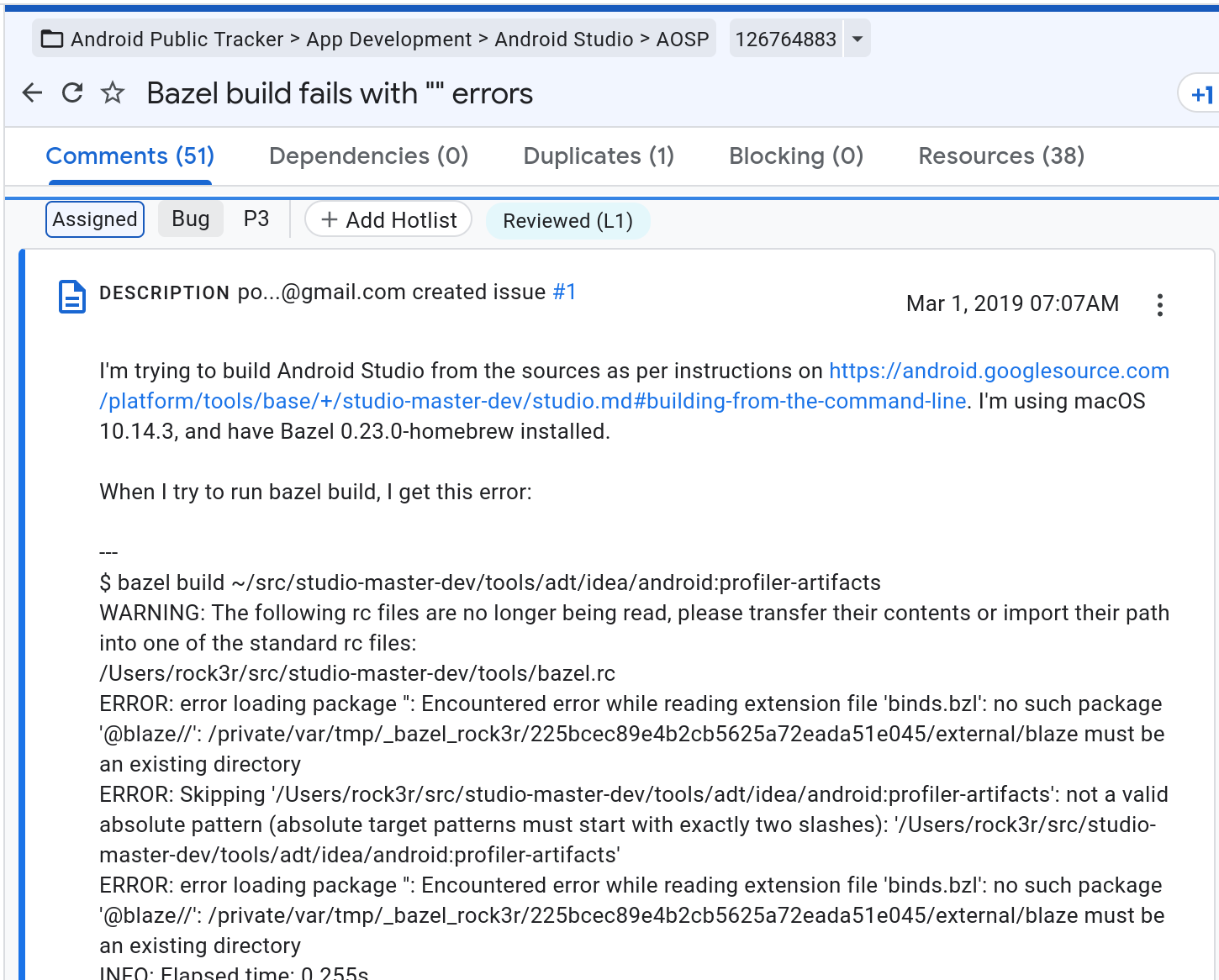
Which leaves only unconventional patch methods...
So I decided I would just patch the .jar file containing the AVDManagerConnection class, located in plugins/android/lib/android.jar. It shouldn't be too hard to unpack it, poke around in the .class file and remove the offending checkMemorySize() check, and repack it. I first decided to use Recaf for this, which was great at disassembly and looking at the JVM bytecode. It has a decompiler mode as well as a JVM bytecode editor and a hex editor. You can even edit the decompiled code in-place, which is pretty cool.
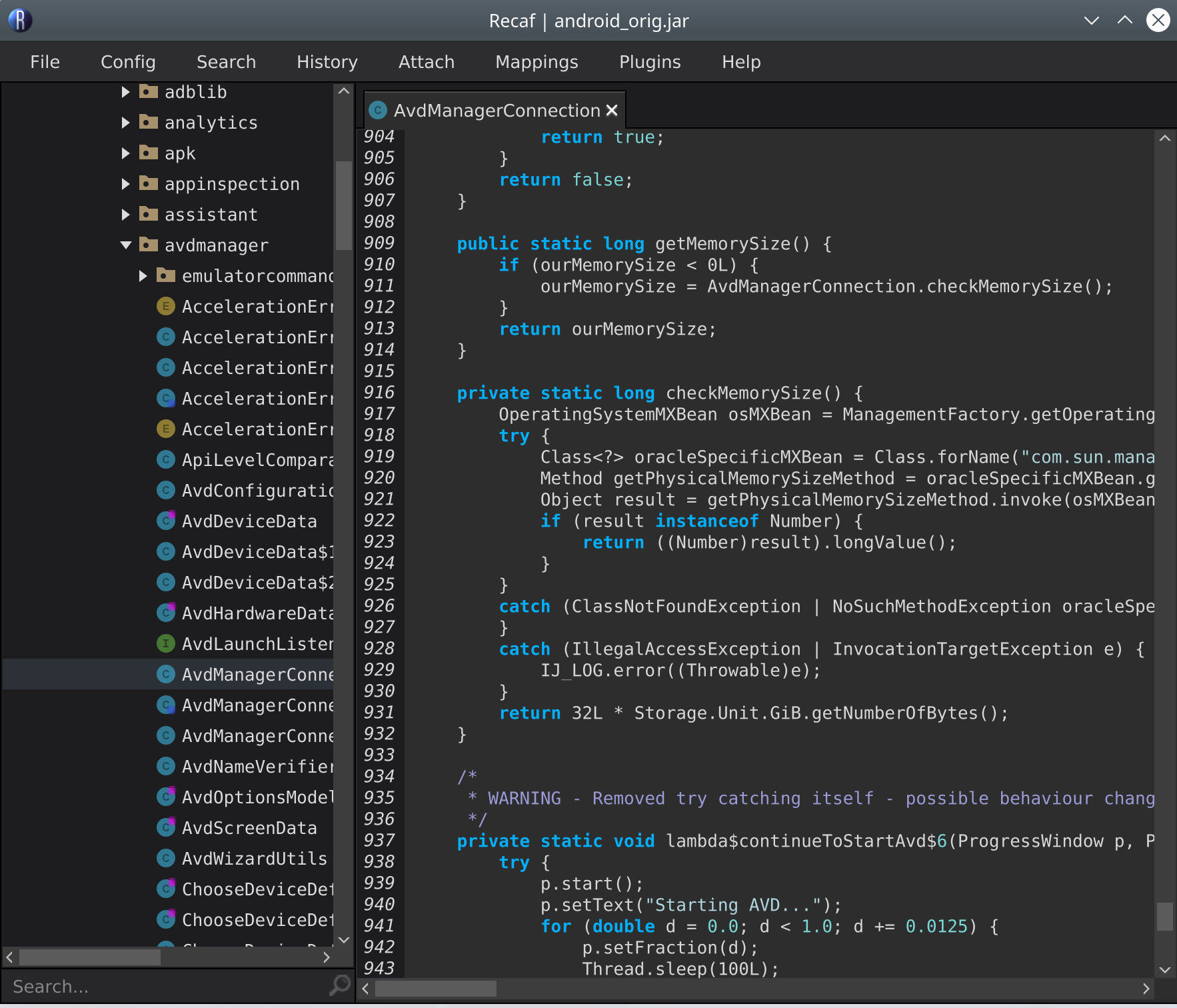
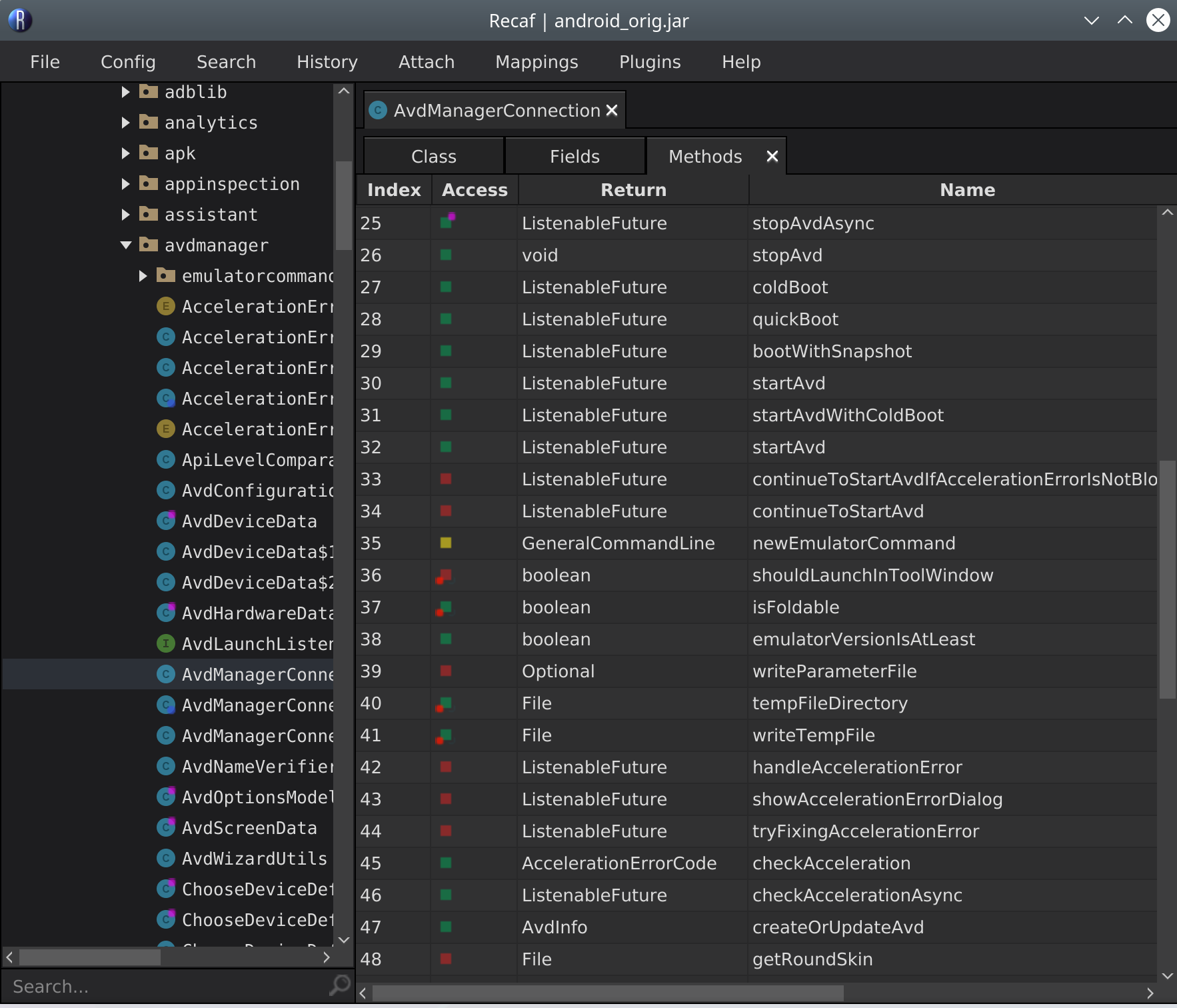
Unfortunately, the assembler feature was not working that day, and despite some helpful suggestions from the Recaf discord, the modified .jar file didn't work when I tried to run the original program:
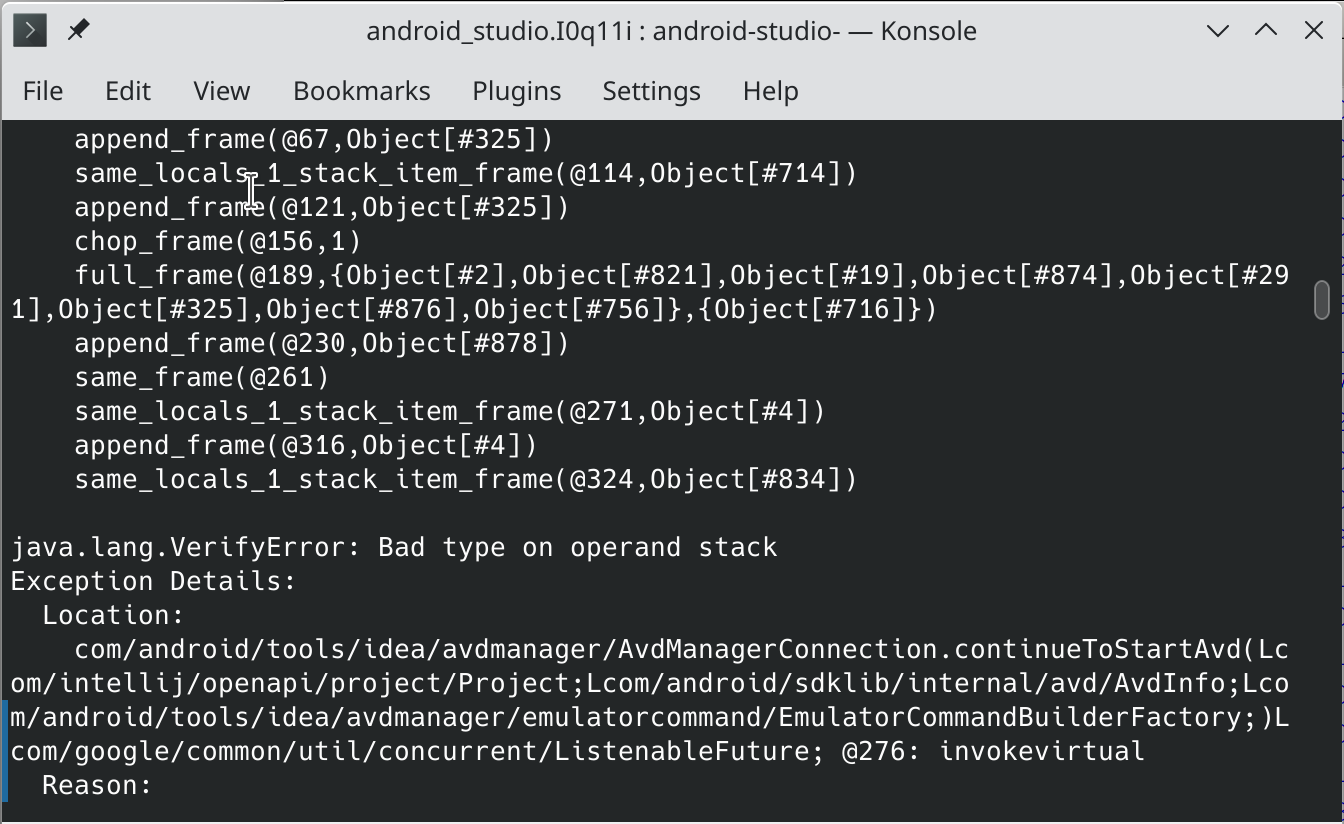
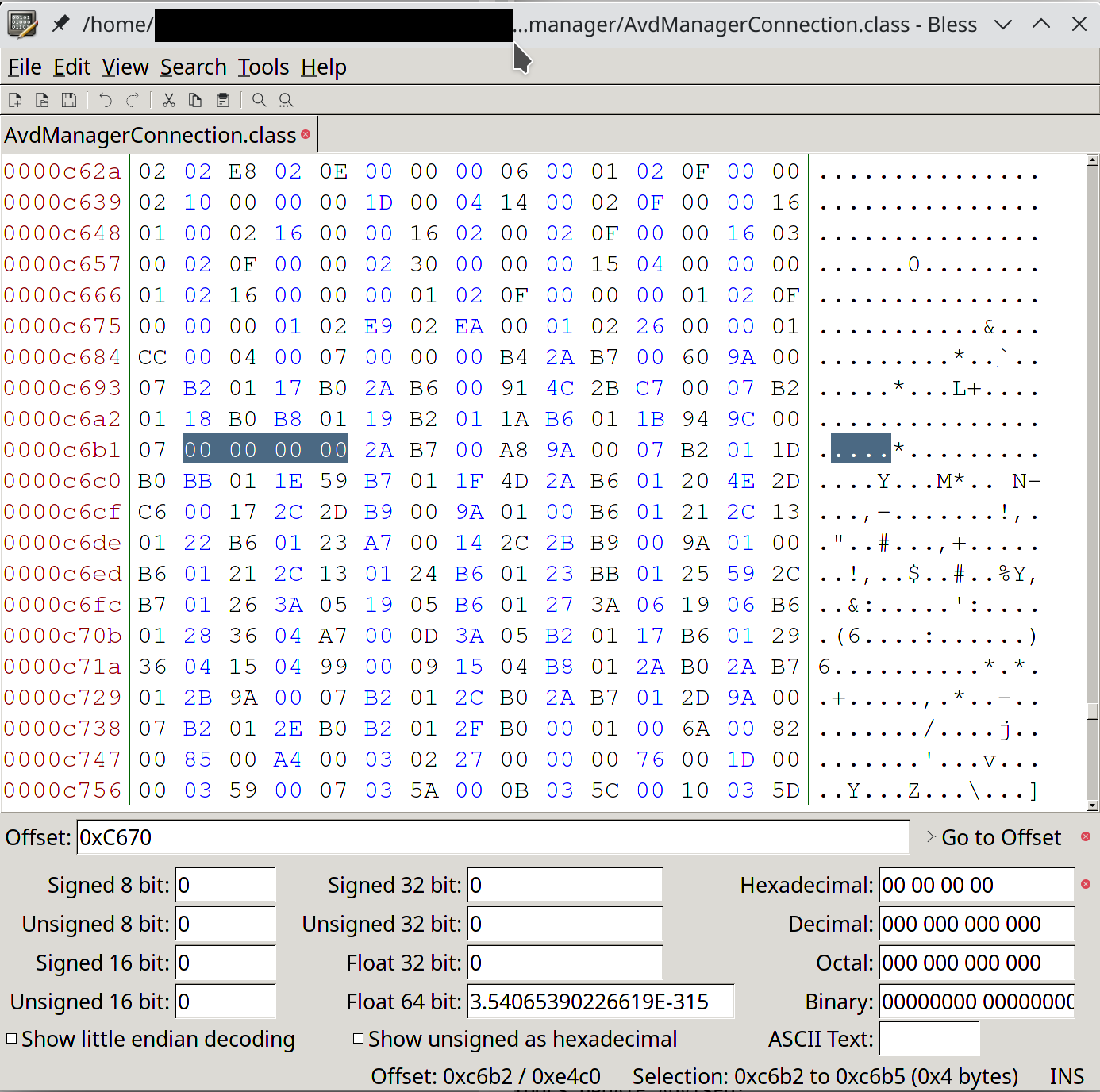
Instead, I ended up just deciding to just overwrite the code with NOP instructions using a hex editor. The encoding of the NOP instruction is only one byte, so I can just replace the failing check with a series of NOP instructions without screwing up any offsets in the file. Since there is no repacking or recomputation involved in this, it should "just work" - with some caveats, namely that the JVM is a stack-based virtual machine so I need to make sure the stack is in the right state after the JVM executes my modified code. After looking at the analyzer in Recaf's bytecode editor to decide exactly which instructions to rewrite, I decided on just overwriting the GETSTATIC and ARETURN operations starting on line 34 of the disassembled bytecode, since the stack is empty after those two instructions - no need to worry about the stack state.
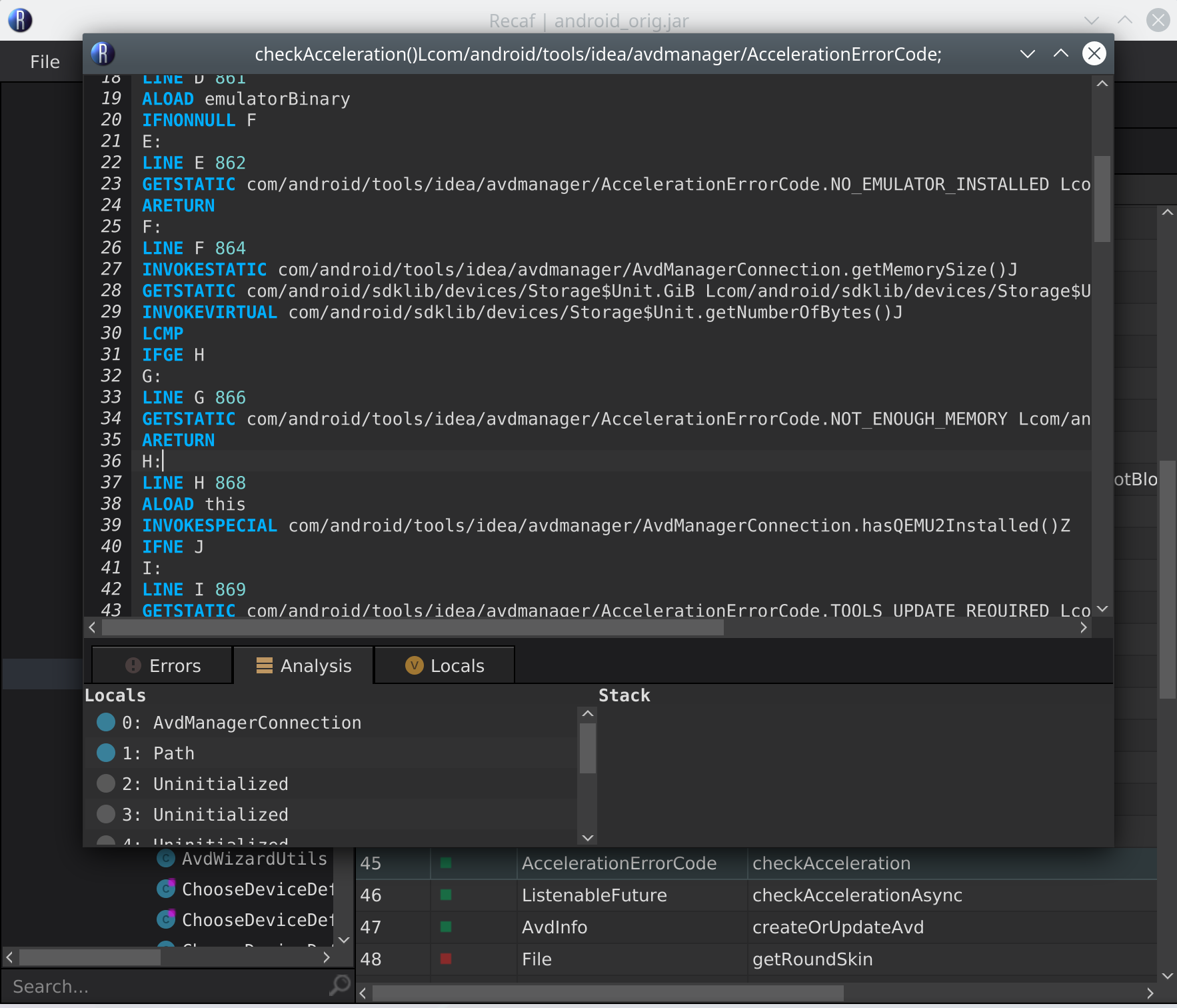
Now I need to figure out where exactly in the binary to write my NOP instructions, since Recaf doesn't display this information in the bytecode editor. Luckily, there is another cool program mentioned in the Recaf docs, called Kaitai https://ide.kaitai.io/, that will help with this. You just upload your file, pick a file format analyzer, and it will display the kinds of objects that are contained in your file and where exactly they are located within it. For us, we're looking for the checkAcceleration() method, which Recaf tells us in the table view is index number 44 (Recaf's table mode indexes from 1) in the methods table and that its code section begins at offset 0xC68D in the .class file.
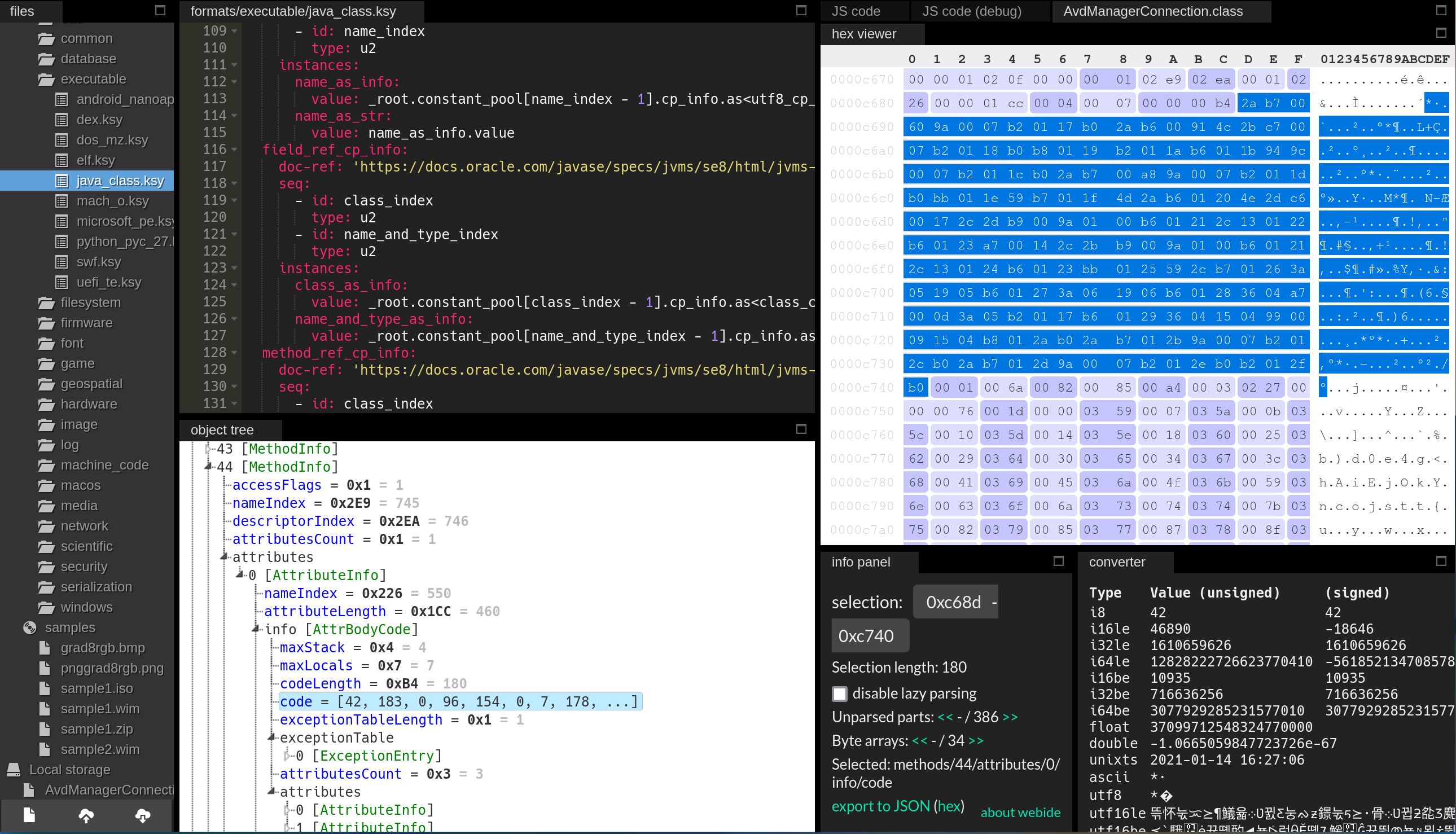
From here, we can just read the bytecode byte-by-byte (I just used https://en.wikipedia.org/wiki/List_of_Java_bytecode_instructions as a reference) and look for the instructions we want to replace with NOPs. We can skip ahead bit by looking for an INVOKESTATIC, since it's used right before the section we're looking for. GETSTATIC is three bytes and ARETURN is one byte, so we end up zeroing out a grand total of four bytes. Once this is done, it will skip returning after the faulty checkAcceleration() check and everything will Just Work™.
For actually editing the bytes, I can't rely on Recaf, since it recomputes some sections of the binary when you use the hex editor and I want to change as little as possible to minimize possible variables in case something goes wrong. Instead, I used Bless, a handy hex editor for Linux.
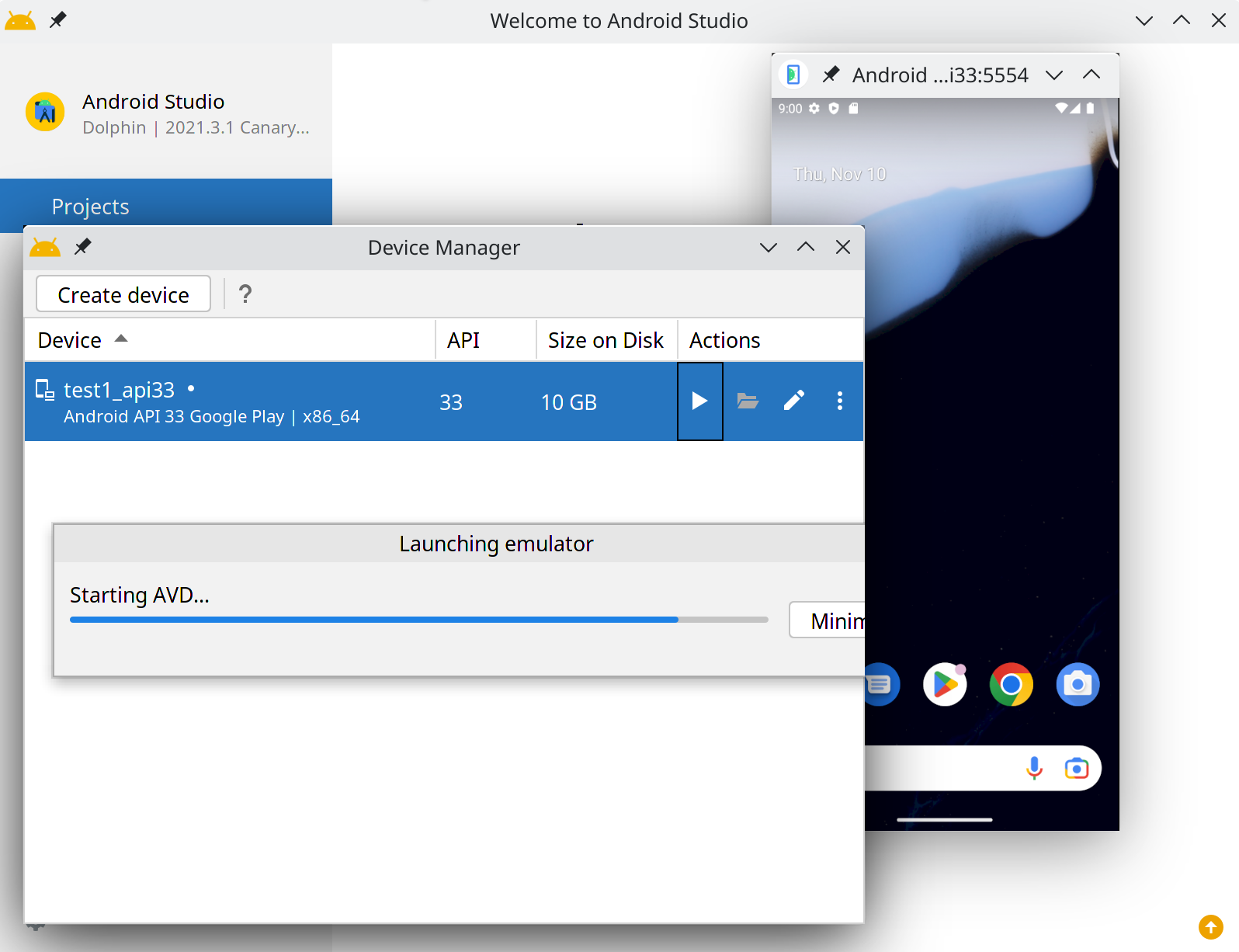
Finally, after repacking the .jar file, it just works!
It would have been nice if I could have just written a patch for the affected software and recompiled it myself, but when that's not an option, I guess it's nice to know how you can still proceed from there.
If you are affected by this bug in Android Studio, feel free to comment on my bug report: https://issuetracker.google.com/issues/229453055
III. Patching Instructions
This is a binary patch for a specific version of Android Studio. If you are using a different version of Android Studio where the file being patched is different in any way at all from what is expected, then it probably won't work.
$INSTALL_DIR is wherever you installed it to. I use NixOS so it's /nix/store/ydpc8sjgd93lznxippyvnc9dvz9crfdd-android-studio-canary-2021.3.1.7-unwrapped/ but yours will probably be different.
To apply the patch, you need to install bsdiff from your package manager or find a bspatch.exe binary somewhere if you use Windows (https://www.romhacking.net/utilities/929/ maybe? I haven't tested this). Then, run in a console bspatch /path/to/original/android.jar /path/to/patched/android.jar /path/to/android_studio_haxmfix.bsdiff, and then replace your original android.jar with the patched version. Don't try to patch it in-place.
| Field | Value |
|---|---|
| Software Version | Android Studio Canary 2021.03 |
| File to patch | $INSTALL_DIR/plugins/android/lib/android.jar |
| Link to patchfile | https://ftp1.ornx.net/patch/android_studio_haxmfix/android_studio_haxmfix.bsdiff |
| Patchfile SHA256 | de62c3618bb9475f9698e99ea3b6de07bde120e99e6c5f8a488797fff8de4131 |
| Pre-patch SHA256 | d99fc83f85e7d0d1513776cd51a080a6655432606249b99a3a59df1b46e8a450 |
| Post-patch SHA256 | 223b27aa2beb7a199a097233c110b512cabc2806f0ac81ce2c5e0e29307ea173 |
iii.i NixOS
Here is an overlay that applies the bsdiff binary patch:
1{
2self: super: let
3 pkgs = import <nixpkgs> {};
4 patchfile = pkgs.fetchurl {
5 url = "https://ftp1.ornx.net/patch/android_studio_haxmfix/android_studio_haxmfix.bsdiff";
6 sha256 = "de62c3618bb9475f9698e99ea3b6de07bde120e99e6c5f8a488797fff8de4131";
7 };
8 android_studio_unwrapped = super.androidStudioPackages.canary.unwrapped.overrideAttrs (prev: {
9 name = prev.name + "-patched";
10 buildInputs = [pkgs.bsdiff];
11 patchPhase = ''
12 ORIG=plugins/android/lib/android.jar
13 TMP=;
14 bspatch $ORIG $TMP ${};
15 mv $TMP $ORIG
16 '';
17 });
18 in {
19 androidStudioPackages.canary = super.androidStudioPackages.canary.overrideAttrs (prev: {
20 name = prev.name + "-patched";
21 startScript = builtins.replaceStrings [super.androidStudioPackages.canary.unwrapped.outPath] [android_studio_unwrapped.outPath] prev.startScript;
22 unwrapped = android_studio_unwrapped;
23 });
24};
25}